At a glance
Key points for your project
- Build the artwork on the selected pack’s confirmed dieline.
- Keep product information review separate from visual approval.
- Release one identified version and record any later changes.
1. Begin with a SKU and file map
List each product variant and every printed component: primary container, pouch, carton, insert and shipping label where applicable. Assign a working reference to each. Record which markets and languages each file covers, and who can authorize a release.
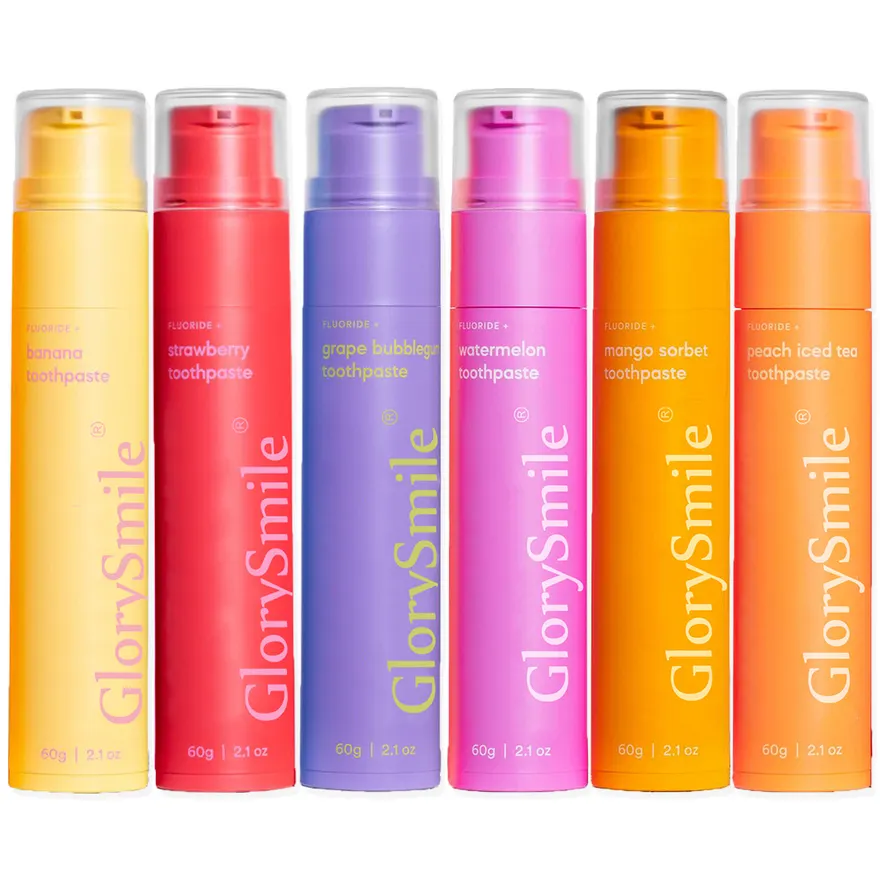
A toothpaste flavor range may share a visual system while carrying different variant names, ingredient text or codes. Treat those as separate release checks. Keep the approved copy in one controlled document so the designer, supplier and reviewer are not working from different message attachments.
2. Request the confirmed dieline before final layout
Ask the supplier or printer for the dieline matching the selected packaging reference, material and size. Confirm the drawing’s units, scale and version. Request an explanation of cut lines, folds, glue areas, label seams and any surfaces that should remain clear.
Have the printer specify bleed, safe areas and any process limits for that pack. Avoid applying one fixed margin to every tube, pouch and folding carton. Build the design on a separate artwork layer and keep production guides identifiable. If the physical packaging changes, ask for the revised drawing before adapting the design.
3. Review label copy before treating it as final
Give the responsible reviewer the proposed product name, intended use, ingredient information, directions, warnings, declared quantity, company details and claims. Ask what else is needed for the selected product and destination. Do not assume that a label used for another formula is appropriate for this one.
For the United States, EU countries and the UK, identify the market covered by each review and who owns the decision. Check translations against the approved source copy. Keep space for variable information requested by the production team, and confirm its location and application method before releasing the layout.
4. Confirm the print process and proof expectations
Request the printer’s file requirements, including accepted formats, fonts, image handling, color setup and any separate layers for finishes. Ask how white ink, varnish, foil or other proposed treatments should be represented if they are part of the project.
Agree which proof is being supplied and what it can establish. A screen preview can support layout review; ask separately how color, material appearance and finishing will be approved. Name the reference that production should follow, and record any differences accepted between the proof and the finished pack.
5. Protect the barcode and verify the printed result
Obtain the intended barcode data from the responsible owner and check that each code is assigned to the correct item. GS1’s barcode quality guidance identifies symbol size, clear areas, contrast, positioning and interference from packaging as checks affecting barcode quality.
Ask the printer how these points will be checked on the chosen pack and who will arrange verification of the printed barcode. Record the result against the released artwork and packaging reference. A successful scan of an image on your screen is not a record of the quality of the final printed pack.
6. Separate the approval decisions
Use a release record that identifies the file and what each person has checked. The following table is a starting structure; adapt responsibilities to your project.
| Decision | Record before release |
|---|---|
| Product information | Reviewed copy, market, product version and reviewer. |
| Visual layout | Variant, spelling, hierarchy and approved proof reference. |
| Technical artwork | Dieline, dimensions, layers and printer feedback. |
| Barcode | Item data, placement and verification arrangement. |
| Production release | Exact file name, revision, approval date and authorizer. |
Keep unresolved items visible. A message saying “looks good” should not leave the supplier guessing whether the copy, color, structure or entire production file has been approved.
7. Send a release package and control later changes
Deliver the production file, a viewing proof and a short manifest listing file names, versions, product references and approved components. Ask the printer to acknowledge the exact release received. Mark older files as superseded in your shared record.
When a change arrives, identify every affected component before sending a revision. An ingredient update may affect a tube and carton; a pack-count change may affect the carton and online listing. Reconfirm the impact on existing printed stock, quotations and schedules. For the physical review that follows, use our sample approval checklist.
Your project checklist
- Every SKU and printed component has an identified file.
- Dieline and printer-specific preparation requirements confirmed.
- Product copy reviewed for the selected market and version.
- Barcode data and printed verification responsibilities recorded.
- One named release package acknowledged by the printer.
Buyer questions
Can I send a mockup as the final packaging artwork?
Use a mockup to communicate appearance. Ask the printer which production files, confirmed dieline and technical preparation are required for the actual pack, then release those identified files.
What bleed size should oral care packaging use?
Request the printer’s requirement for the selected structure, material and process. Confirm bleed and safe areas on the actual dieline rather than applying a universal value.
Does a barcode that scans on a screen pass print approval?
A screen scan does not establish the quality of the printed result. Confirm the intended data and arrange the relevant checks or verification on the actual printed packaging.
Sources & further reading
Background for the specific points linked in this guide:
Your next step
Give your packaging a clear production handover.
Send your product reference, packaging idea and target market. We can discuss the artwork and sample details needed for the next step.
Start your inquiry